Model
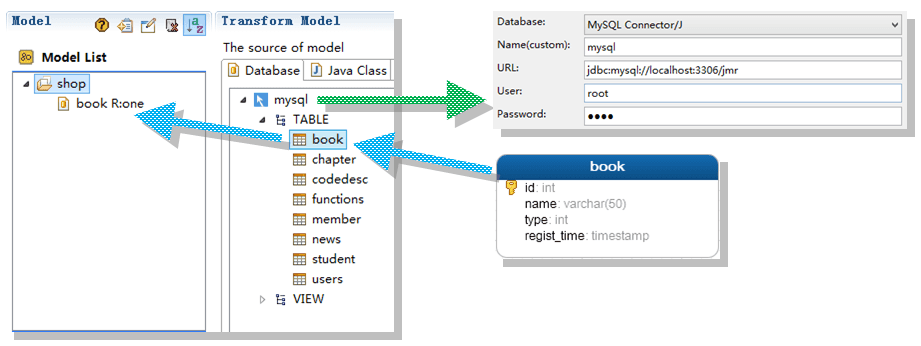
The Jmr model is transformed from database, java class and xml. Not only does the model store the information of table, we can also extend the structure of the model and add the properties we need in order to generate different code modules.
Model Source
We can configure and connect almost all databases.
Tables or views can be transformed into models that are stored in the Jmr file and can be used in any task.
Model Select
There are 2 ways to select the model:
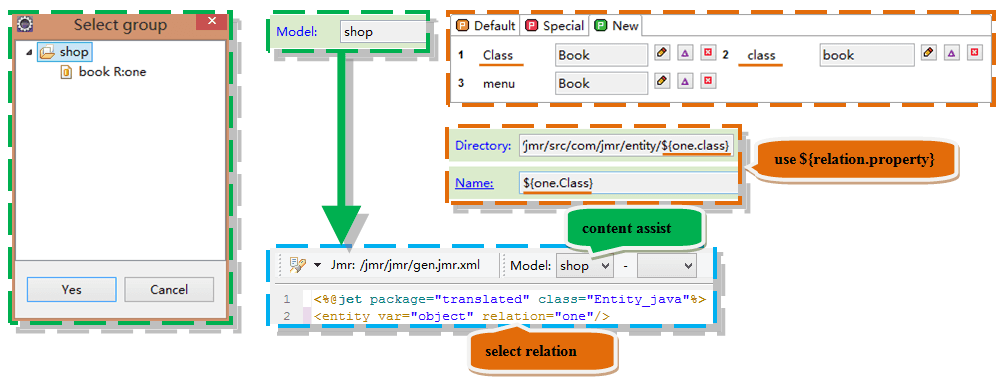
- Select Model Group(Such as shop): <entity> tag need select the relation. This way is used in template, which require multiple models, such as many-to-one, many-to-many.
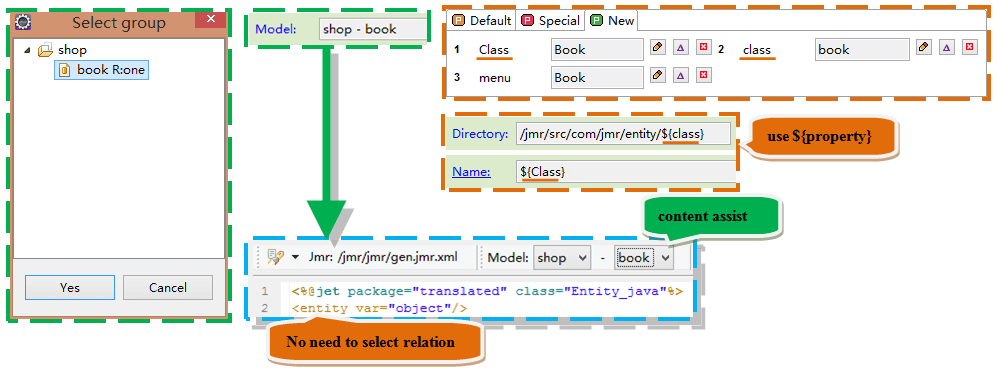
- Select Model(Such as book): <entity> tag no need to select the relation. This way is used in template, which require only one model. Of course, you can also select relation together.
Model Usage
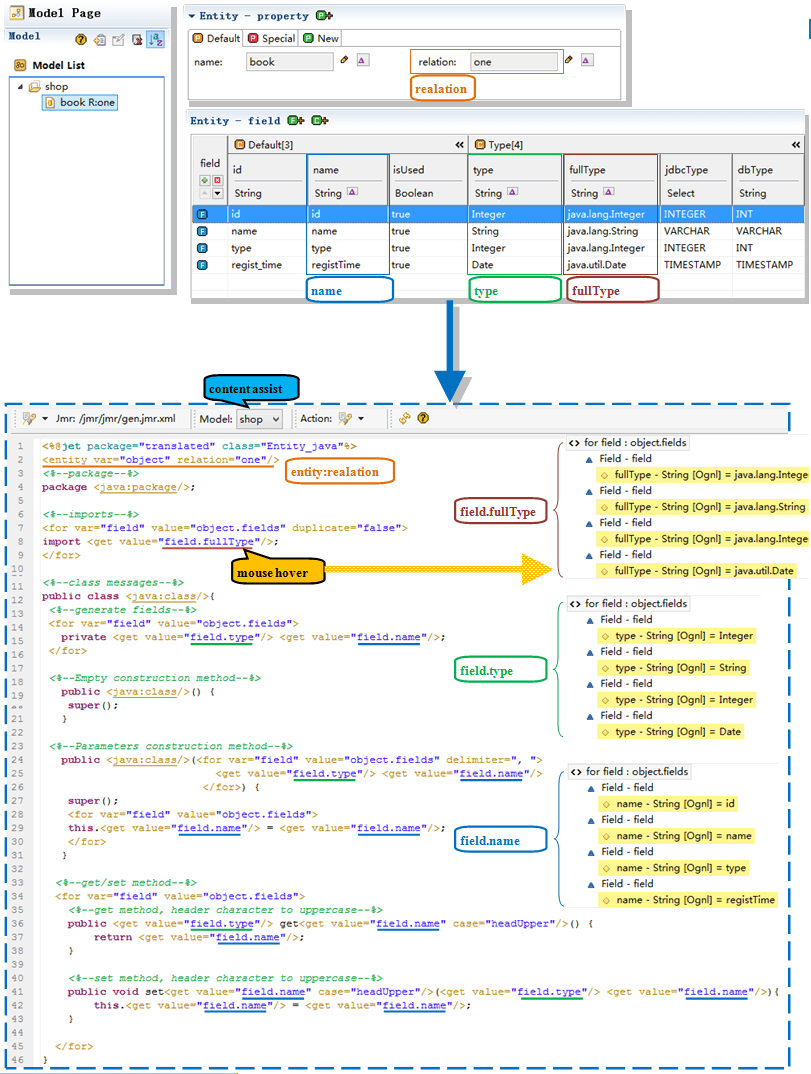
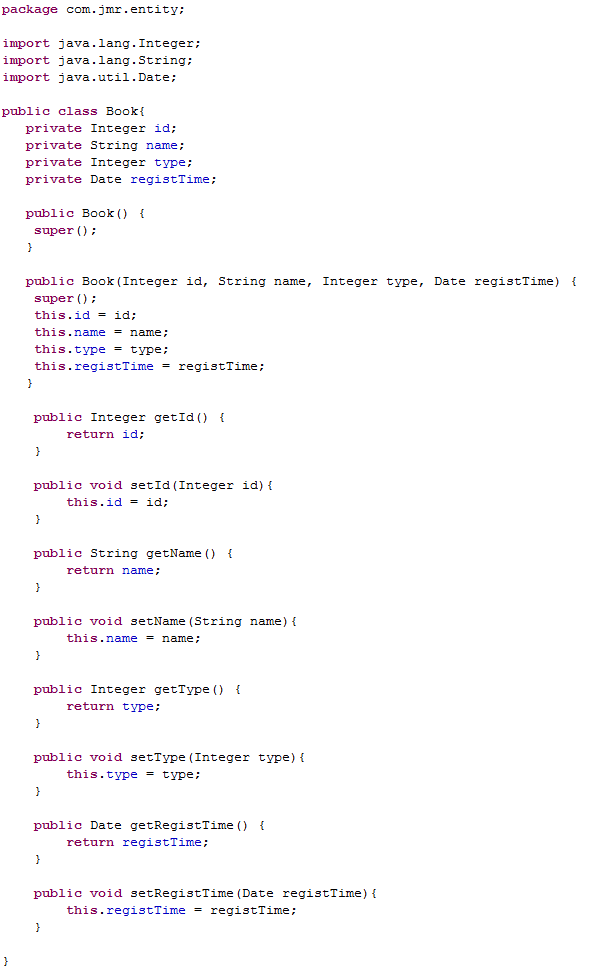
The java entity class is generated as an example, and the model is used in the template as follows:
- Using the entity tag, specify relation to get the model and set it as a variable, as follows object.
- using the for tag to iterate over the fields, you can generate import, fields, constructions and get/set methods, and so on.
Generate entity class
Catalog:
- Transform: You will learn how to create a database, Java class, Xml model.
- Structur: You will understand the structure of the model and how to add and delete these structures.
- Init: You will learn how to set the custom information into the model when transforming the model.